Everything Resly does, in one place.
Resly is built for buildings that are actually run by people — a board that meets monthly, a super with a phone in his pocket, a managing agent with 40 other properties, and neighbors who speak four languages between them. Here's the whole product.
The building's conversation, in one place.
Channels for the things buildings actually talk about — announcements, general discussion, for-sale and free items, recommendations, lost and found, activity partners, help needed, and a direct line to the board.
- Photos and video attach right to a post — shrunk and transcoded automatically, so a phone video from the laundry room doesn't take the page down.
- Emoji reactions let twenty people agree without twenty replies.
- Search across one forum or all of them, from any page.
- Private messages between neighbors — a “contact the seller” that never exposes either person's email address.
- Per-forum permissions: who can start a thread, who can reply, and whether a channel is campus-wide or building-only.
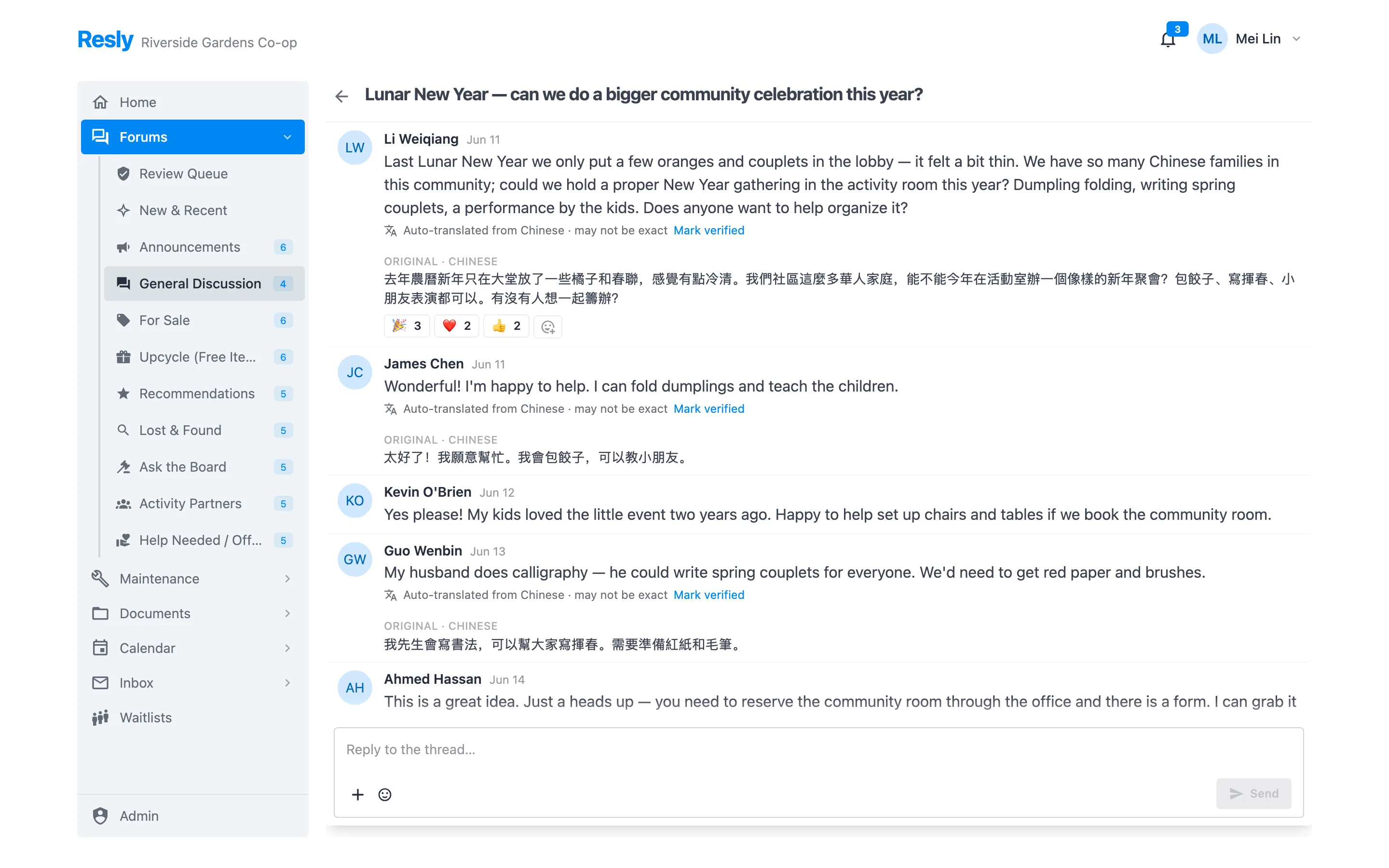
Written once. Read by everyone.
Most buildings solve translation with a volunteer and a deadline. Resly does it in the product, and keeps a human in the loop where it counts.
Posts translate for the reader
A neighbor writes in Chinese; you read it in English, labeled as an auto-translation, with the original kept right underneath. A moderator can mark a translation verified, which drops the disclaimer.
Notices carry their translation
Letters are written once in the building's language. The translation is generated at compose time and appended, so every household receives the same multilingual letter — not two different notices.
Your translators sign off
The machine translation is a starting point. Before a notice sends, your own per-language translators polish it and approve it. Edit the letter afterward and the sign-off is cleared — a translation can never outlive the text it was translating.
Building-wide notices, with a chain of custody.
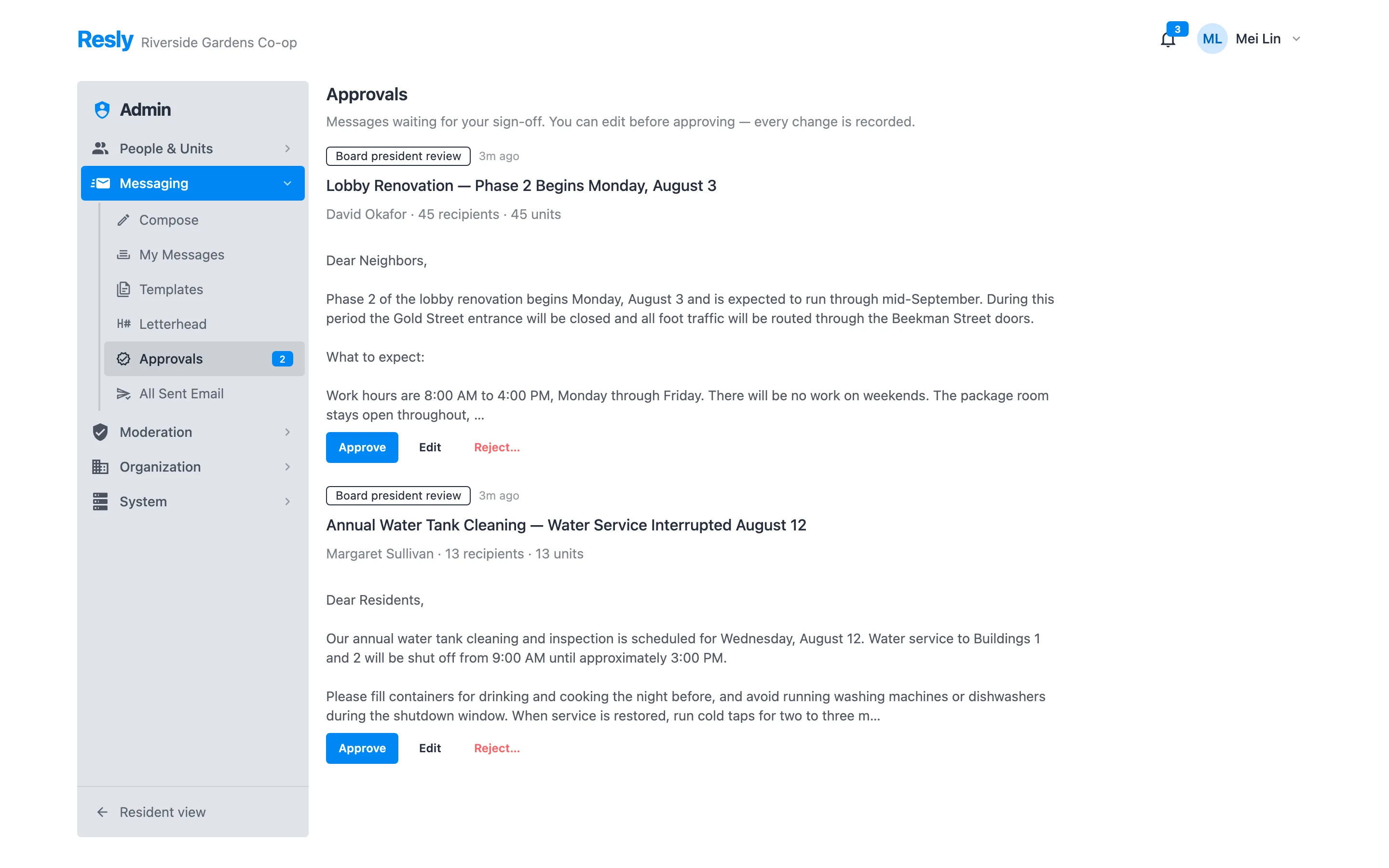
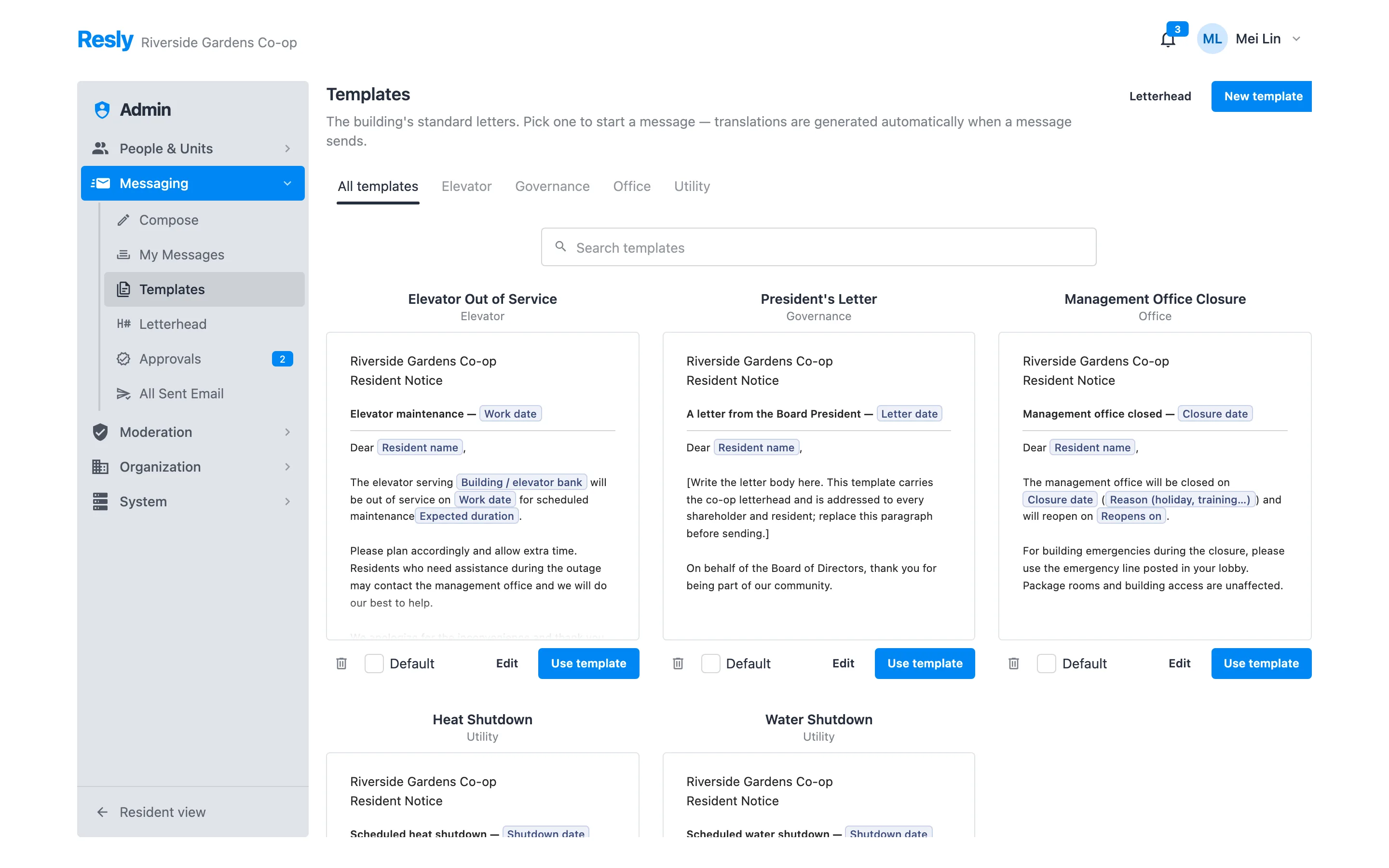
The letter that goes to every household should not be a copy-paste from someone's personal email. Resly gives it a letterhead, an audience, an approval chain, and a record.
- Templates on your letterhead — water shutdown, heat shutdown, elevator service, office closure, a president's letter — with merge fields for dates, buildings, and names.
- Targeting by campus, building, floor range, line, individual units, or role — plus off-site owners, an exclusion list, and a recipient preview before you commit.
- Approval routing: author drafts, reviewers approve in order, and an approver can edit before approving. Nobody approves their own notice.
- Scheduled send, a delivery report, and a “who did we fail to reach?” count.
- Print and PDF the same letter for the lobby board, or attach it to the email and file it in the document library.
- Reuse any sent notice as a fresh draft, or save it into the template bank.
A mailing list your residents won't mute.
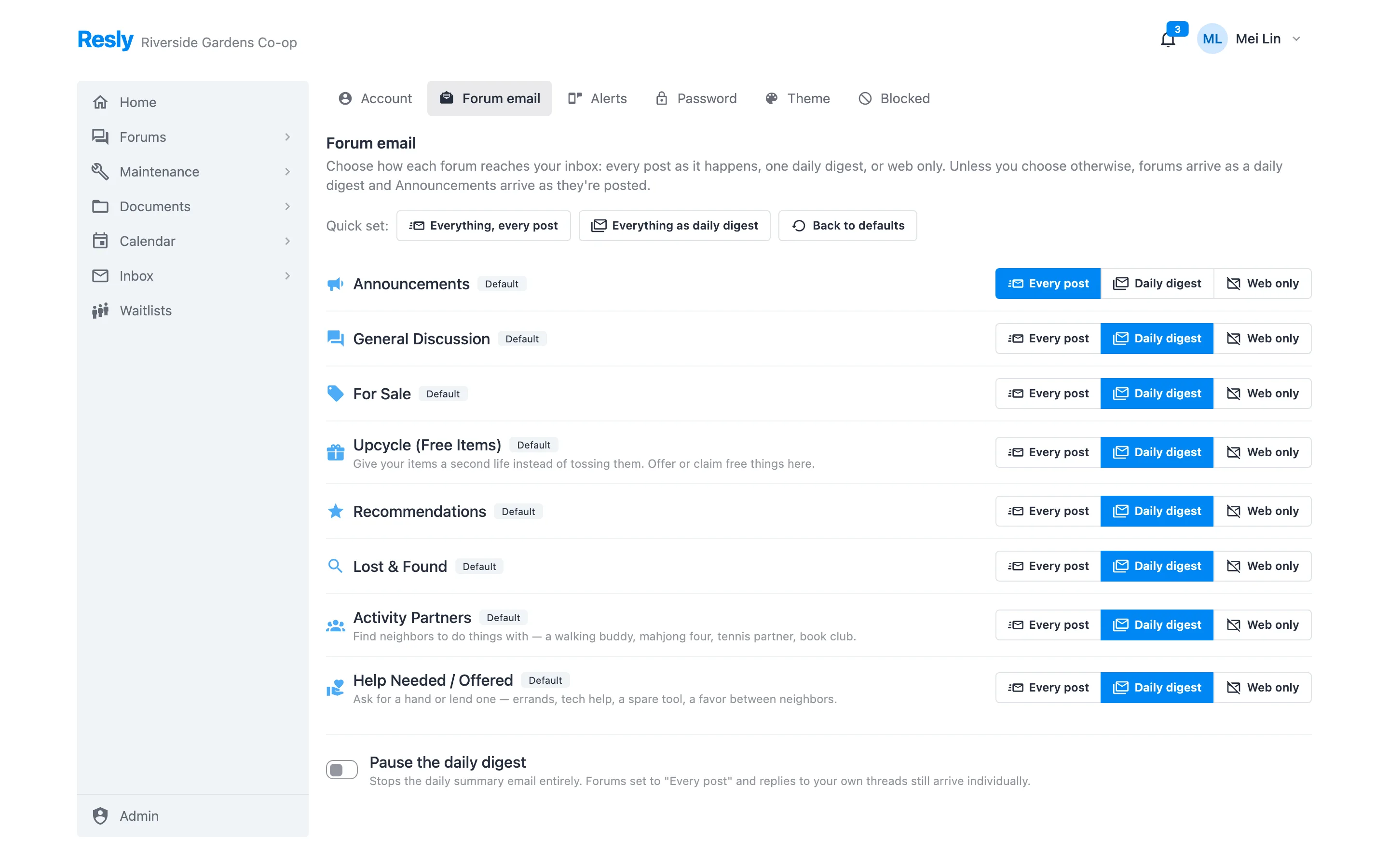
The fastest way to lose a building is to flood its inboxes. Resly lets each resident decide, per forum, how much email they want — and makes sure the important channel still lands.
- Three cadences per forum: every post as it happens, one daily digest, or web only. Announcements default to immediate; chattier channels default to the digest.
- One daily digest email gathers the day's posts by forum and thread, with per-forum links to switch that channel to immediate.
- Reply from your inbox and it lands in the thread — no account, no app.
- One-click unsubscribe and a preferences page on every message, the way modern mail providers expect.
- Organization kill switches so an administrator can turn forum email off building-wide before a rollout, then enable it deliberately.
- Bounce handling and a per-organization sending domain with DKIM.
AI takes the first pass. People take the hard ones.
Volunteer moderators burn out reading everything. Resly reads it first and only hands over what genuinely needs a person's judgment.
- Per-channel posture: open, light-touch review, or hold everything — set per forum, with an organization-wide override for a tense week.
- Confident calls clear; everything else escalates. Obvious spam goes, an ordinary post publishes, and anything the screen isn't sure about lands in a human queue rather than being guessed at.
- Inbound email is always screened before it can become a post — the untrusted, high-volume door gets the strictest treatment, with no bypass.
- House rules you write drive the screen, so “no politics” means what your building means by it.
- Every decision is logged — AI or human, with the reason — and a moderator can overturn any of it. Author standing surfaces repeat problems.
- Outbound notices are different: there the AI only advises, and a person approves every letter before it sends.
- Residents can block another resident without anyone having to arbitrate it.
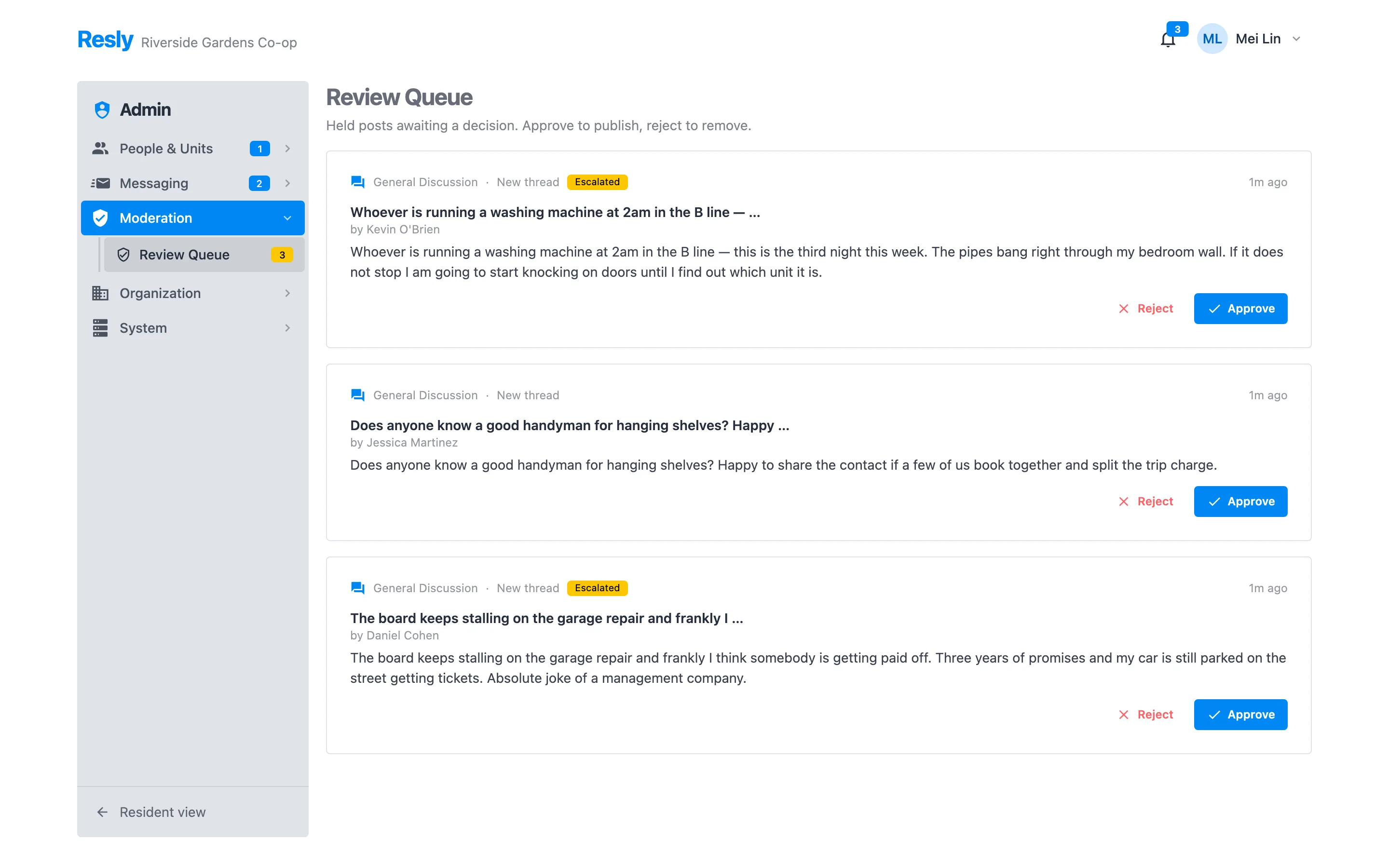
From “there's a leak” to closed, on the record.
A resident reports a problem in plain language with a photo. Staff triage, assign, and work it. Everyone sees the same thread and the same status.
- Report in a sentence — no category tree to guess at — with photos or a short video.
- Real locations: a unit, a line, a floor range, a whole building, or a common area, so “the B line has no heat” is one ticket, not forty.
- A shared comment thread between staff and resident, plus an immutable event timeline of every status change and assignment.
- Priority, due dates, and a live queue split into open and closed.
- Notifications to the people who need them — in-app, email, SMS, or a phone call — with the resident's own channel preferences respected.
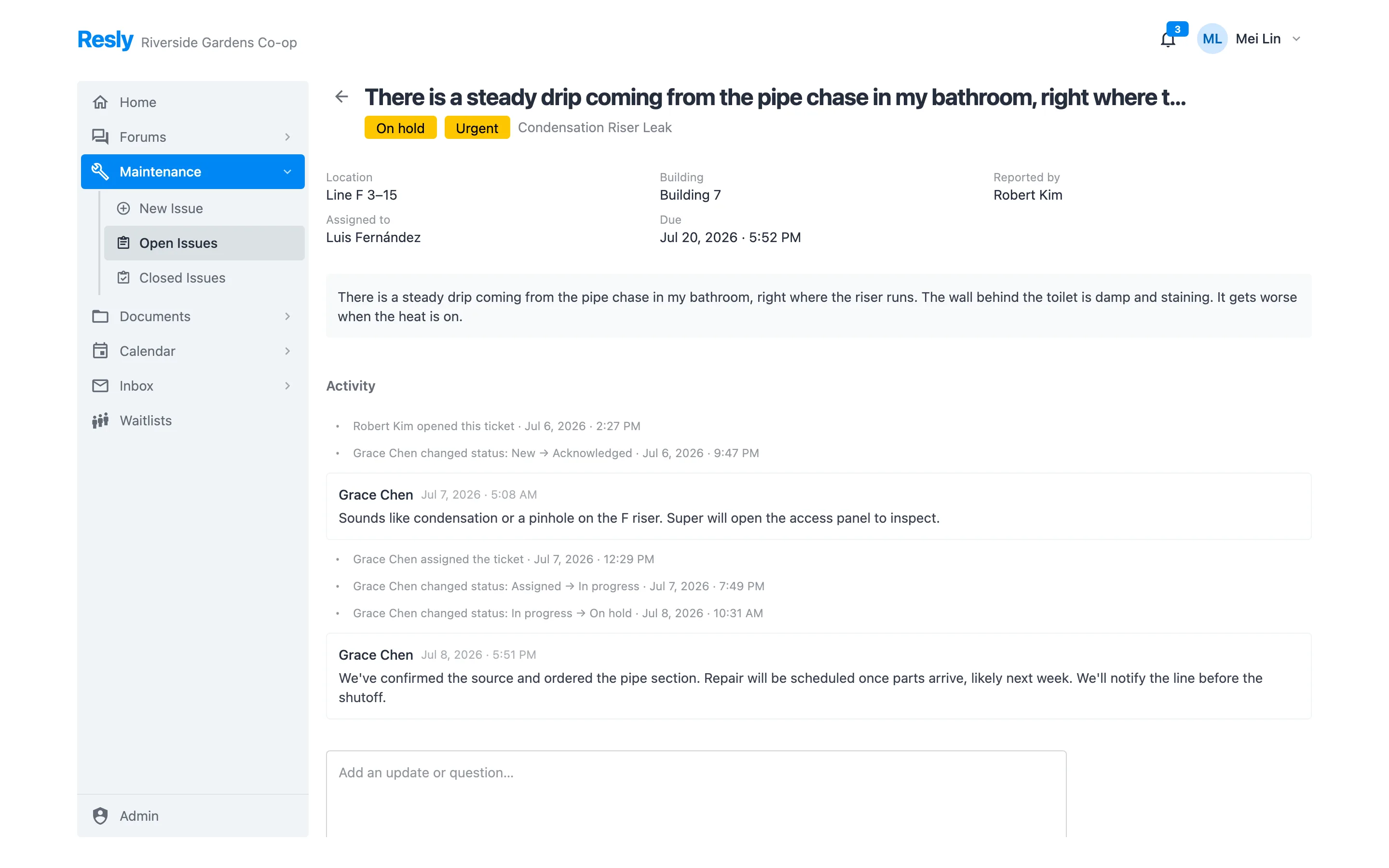
The current version, and only the current version.
House rules, minutes, financials, certificates of insurance, move-in packets — in folders, with the right people able to see each one.
- Folder permissions by group: residents, board, staff, a committee — or everyone. A folder with no grant is invisible, which is the safe default.
- Version history on every document, so replacing the house rules doesn't erase what they used to say.
- Expiry tracking for the things that lapse — COIs, certifications — with an expiring-soon view.
- New & Recent so residents see what changed without hunting through the tree.
- Search across the whole library from any view.
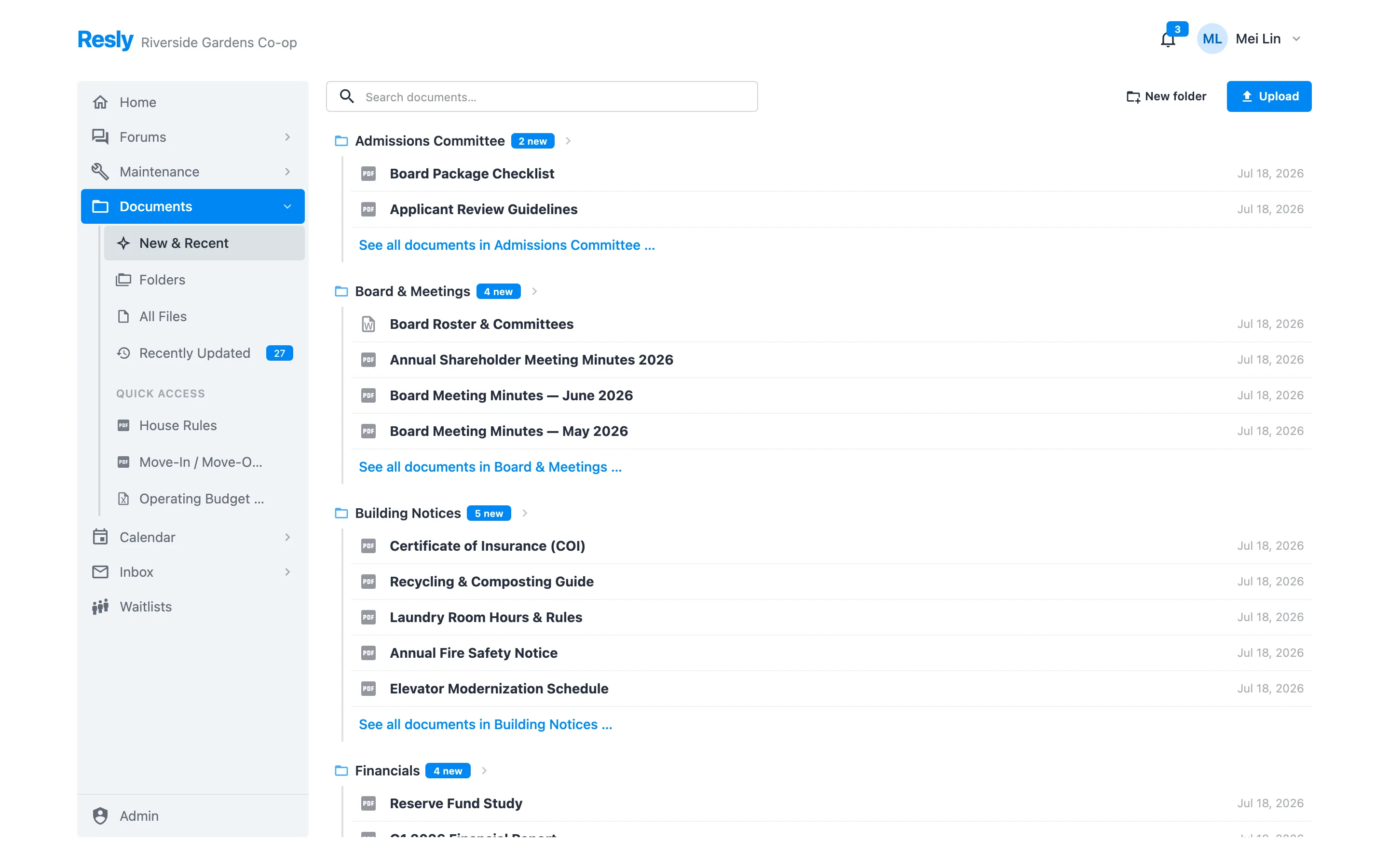
Whatever your building tracks.
Every building keeps a list of something. Resly ships with pets, vehicles, storage lockers, e-bikes, and air conditioners — and lets you add your own without waiting for us.
- Fields you define — text, dates, dropdowns, numbers — so the pet registry asks for the rabies expiry and the e-bike registry asks for the battery certification.
- Residents submit, staff approve. A submission lands as pending, not as a fact.
- Fees attach to the record, so registering the second dog adds the second dog's monthly charge.
- Custom fields on units, households, and residents too, for the columns your building's spreadsheet has that nobody else's does.
- Expiry-aware: a vaccination date is a real signal, not a checkbox someone ticked in 2019.
The parking list, defensible at last.
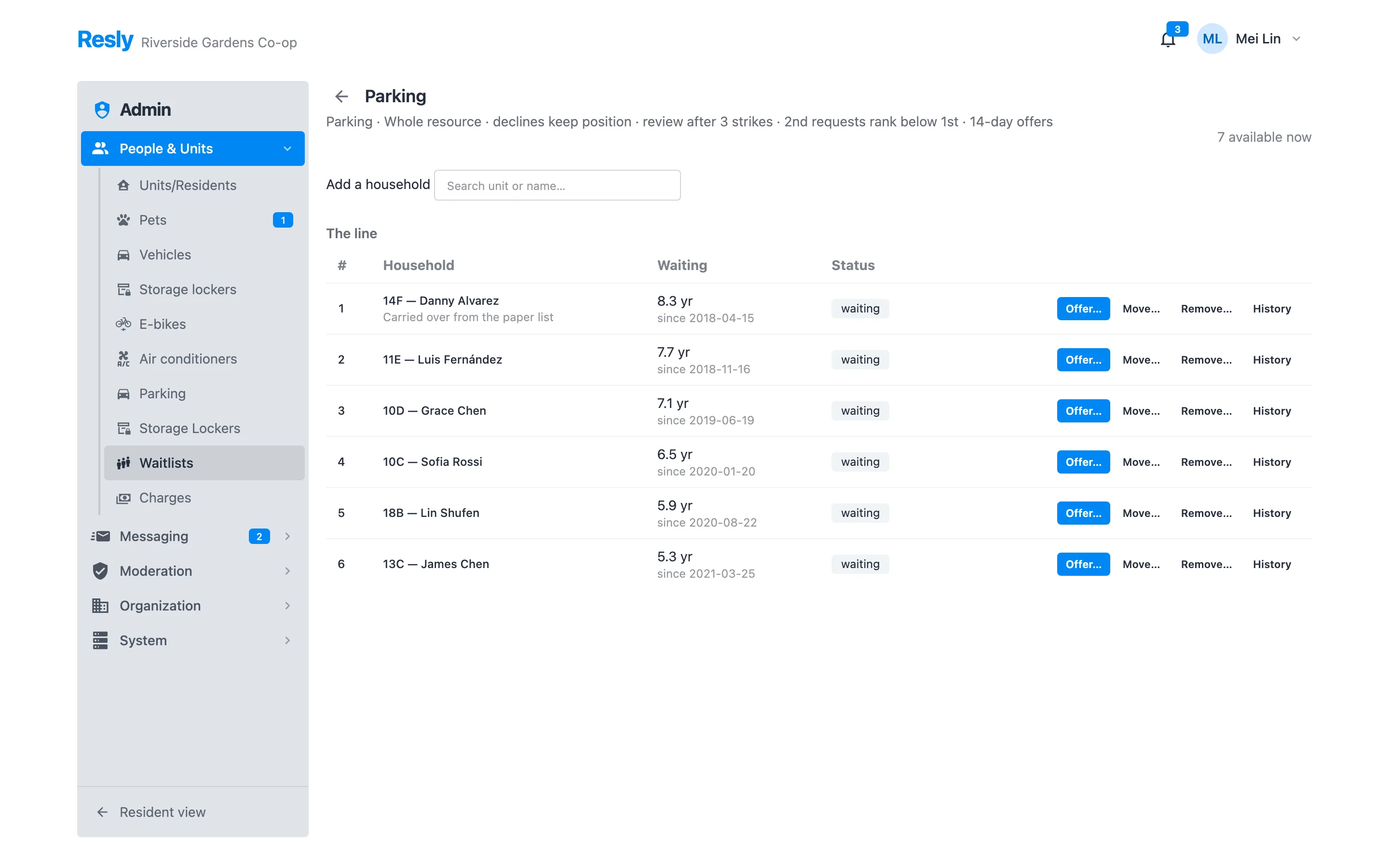
Parking spots and storage lockers are the most contested things a building owns, and the queue for them is usually a paper list in a drawer. Resly makes it an ordered, audited record.
- Inventory you actually own: garages and storage rooms with numbered spots, or operator-run lots with a category allotment. Assignments are dated and can't double-book.
- Ordered queues with the original join date carried over — a household that has waited since 2018 still shows 8 years, not “added last Tuesday.”
- Offers with a deadline: staff extend an offer with the spot, start date, and monthly charge; the household accepts or declines from a link, in the app, or through the office.
- Every reorder and removal needs a reason, recorded permanently — the answer when a shareholder claims queue-jumping.
- Policy per list: do declines keep your position, how many before review, how long an offer stays open.
What should this household be billed?
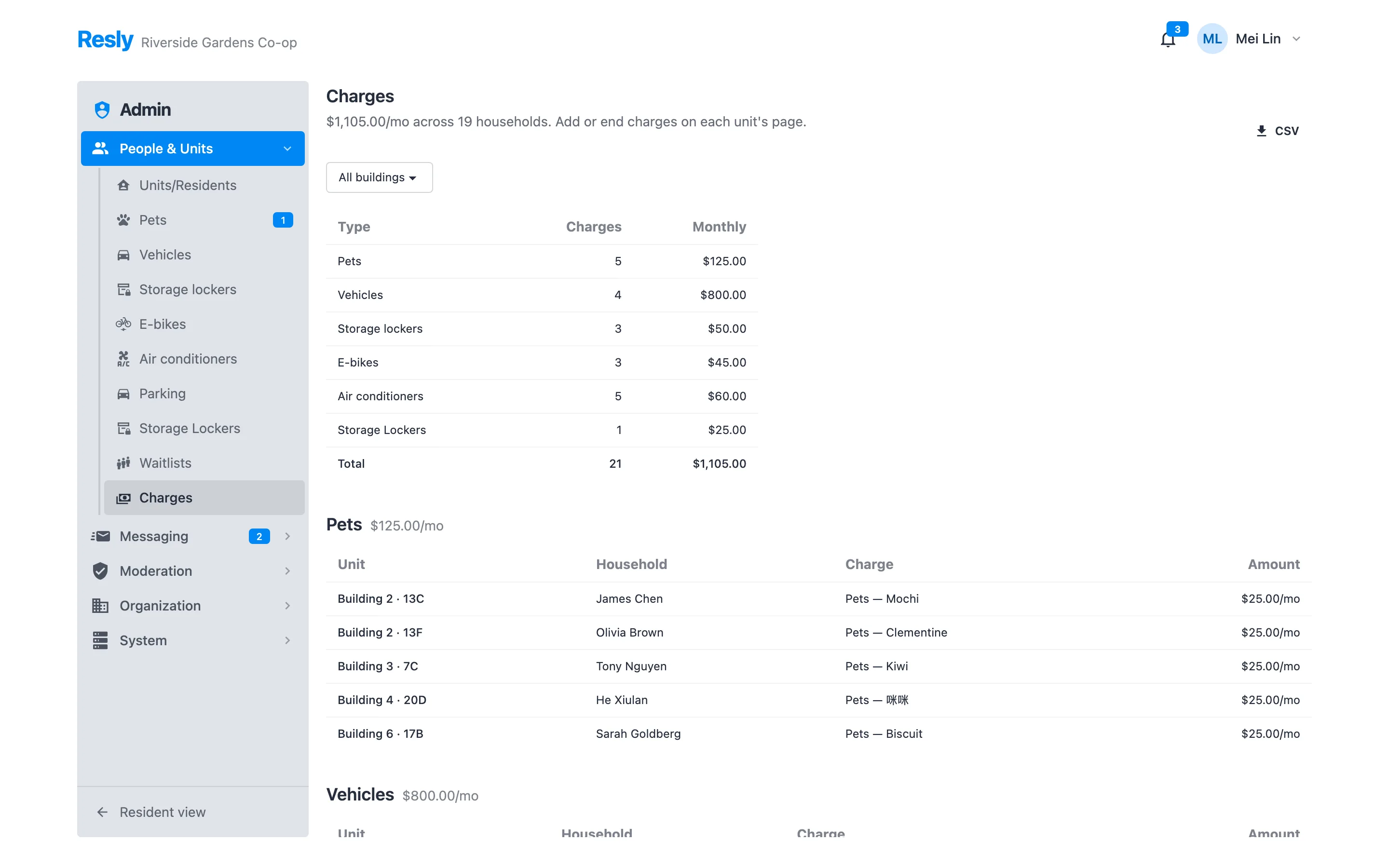
Pet fees, parking by spot type, locker rent, sublet fees. Resly is deliberately not an accounting system — it answers the one question your managing agent keeps emailing about, and hands over a clean list.
- Charges follow the record that created them, so ending a parking assignment ends its charge.
- Dated windows, so a mid-month change is a history, not an overwrite.
- A monthly report grouped by type and unit, with the org-wide total.
- CSV export that drops straight into the agent's billing run.
- No payments, no balances — your accounting system stays the system of record for money.
Built for co-ops, not just apartments.
A co-op has shareholders who don't live there, sublets, estates, and units that change hands. Resly models the building the way the building actually works.
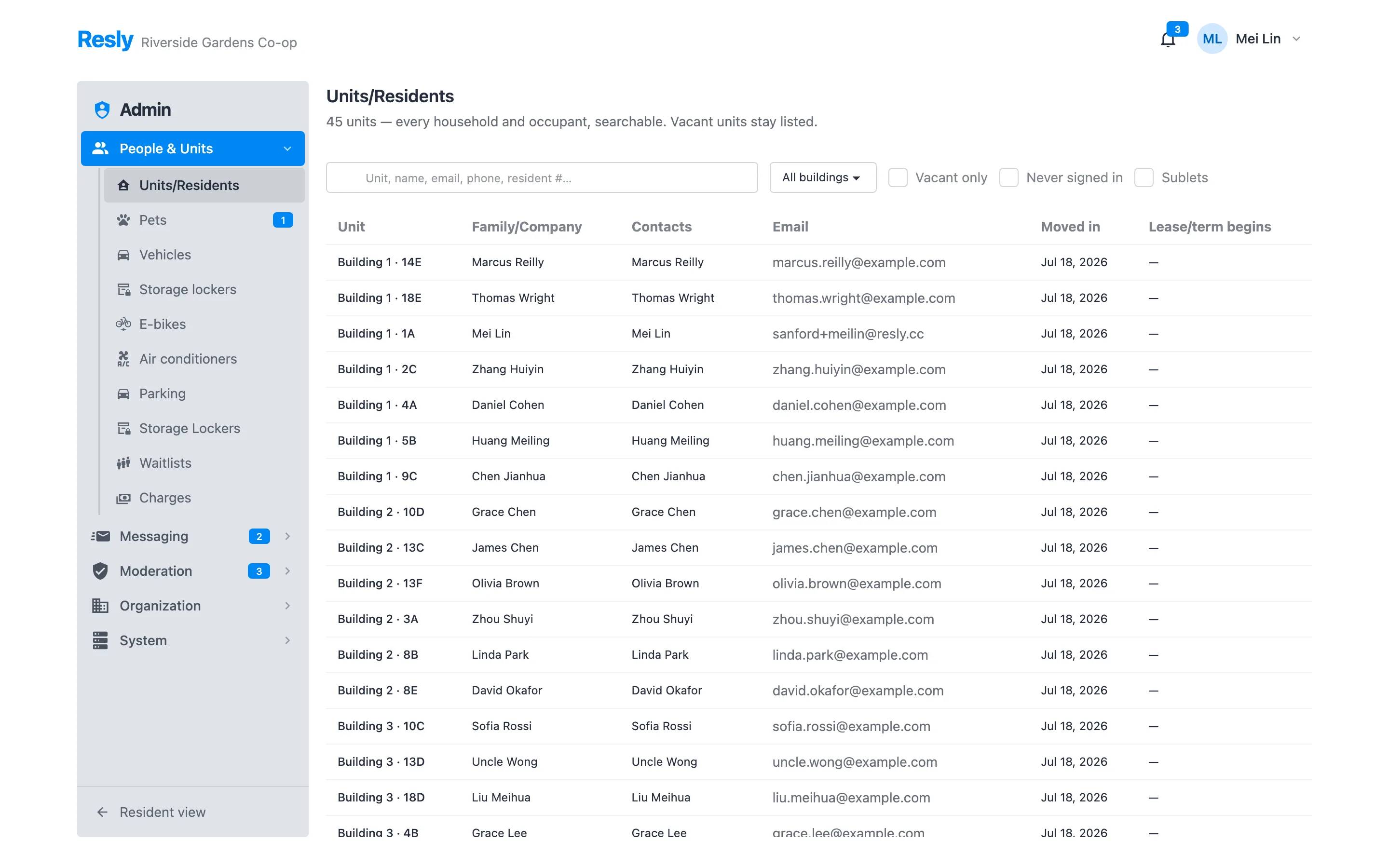
- Organization → campus → building → line → unit → household → resident, so targeting and permissions follow the real hierarchy.
- Ownership separate from occupancy: off-site owners, sublets with their own term dates, and vacant units that stay listed.
- Search by unit, name, email, phone, or resident number, with filters for vacant, never-signed-in, and sublets.
- Groups and capabilities instead of one blunt “admin” flag — board, staff, moderators, translators, library admins, each with what they need.
- Emergency contacts, custom fields, and a per-unit page that gathers the household's registry items, charges, and history.
The parts you only notice when they're missing.
Closed membership
Nobody self-registers. An administrator adds a resident, and only a verified address can sign in — with a one-tap magic link, no password to reset.
Multi-tenant by design
Every record is scoped to its organization. A multi-building campus runs as one tenant; separate properties never see each other.
Building calendar
Board meetings, community room bookings, classes and holidays — synced from the calendars your office already keeps, and readable by every resident.
Notifications that choose a channel
In-app first, then email, SMS, or a voice call for residents who need it — each resident's own preference, per kind of event.
Media that behaves
Photos are shrunk and stripped of EXIF before storage; video is transcoded off the request path. One upload path for every surface.
Reader-first themes
Eight curated themes — four light, four dark — including high-contrast, colorblind-safe options for older and low-vision residents.
See it with your building's names on it.
We'll walk through Resly on a short call, with your buildings, your channels, and your house rules — and talk through moving off whatever you use today.