Text Message Program
How Resly sends SMS notifications, who can receive them, and how to stop at any time.
Effective date: July 7, 2026
The short version
Resly is a building-management and community platform used by co-ops, condos, and HOAs, operated by Awesome Machinery, LLC. When a resident opts in, Resly can text them account and building notifications — things like a one-time login code, an urgent building notice, or an update on a maintenance ticket. Residents choose exactly which texts they receive, each category separately, and can turn any of them off or reply STOP at any time.
Who can receive texts
Membership is closed. Resly is invite-only: a building's management approves and adds each resident — there is no public or web-form sign-up, and no one can register themselves. Only an invited resident who signs in, adds their own mobile number, confirms it with a texted code, and then turns on a text category will receive messages at that number. We never text a number that hasn't completed that opt-in.
How a resident opts in
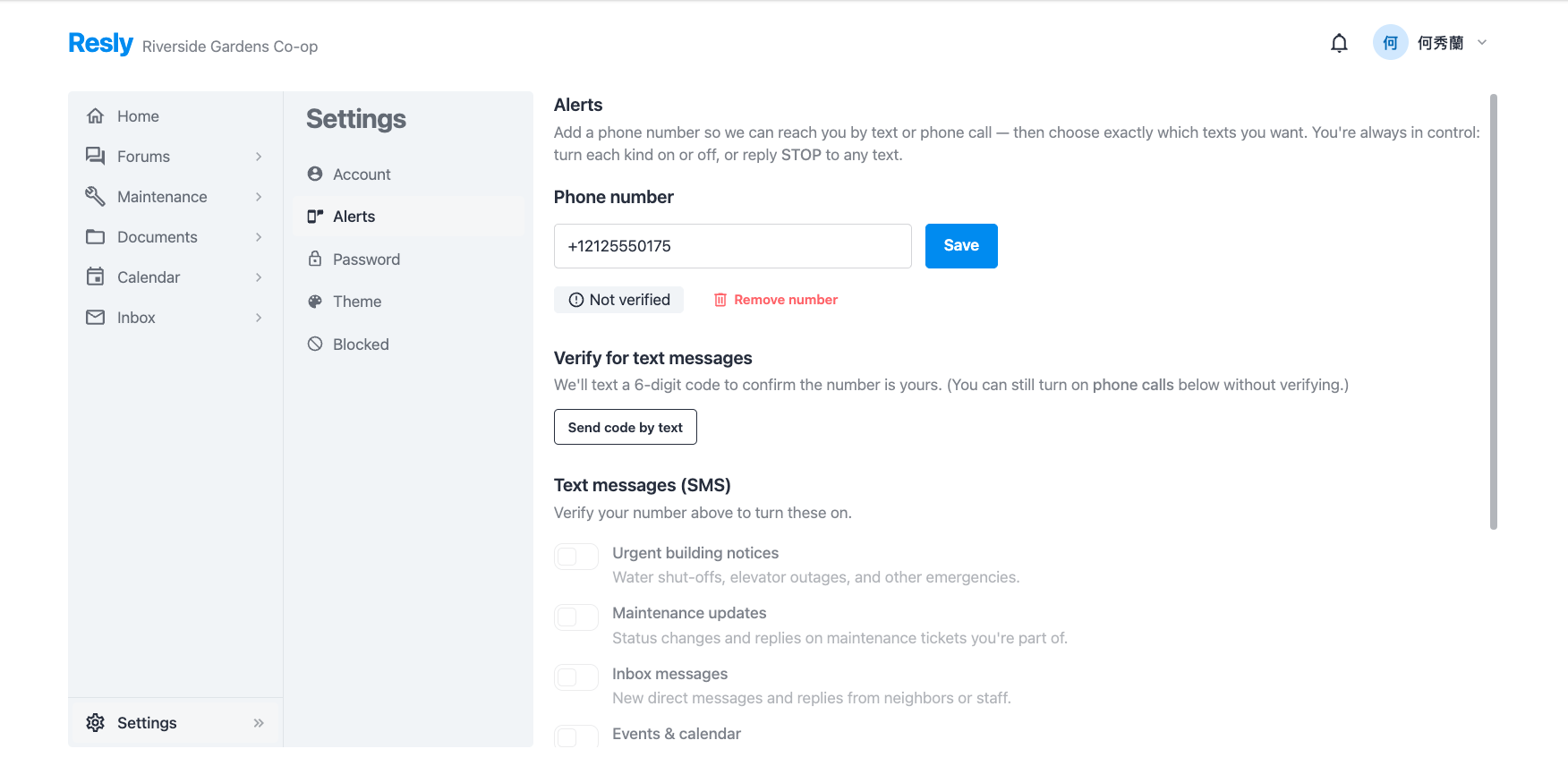
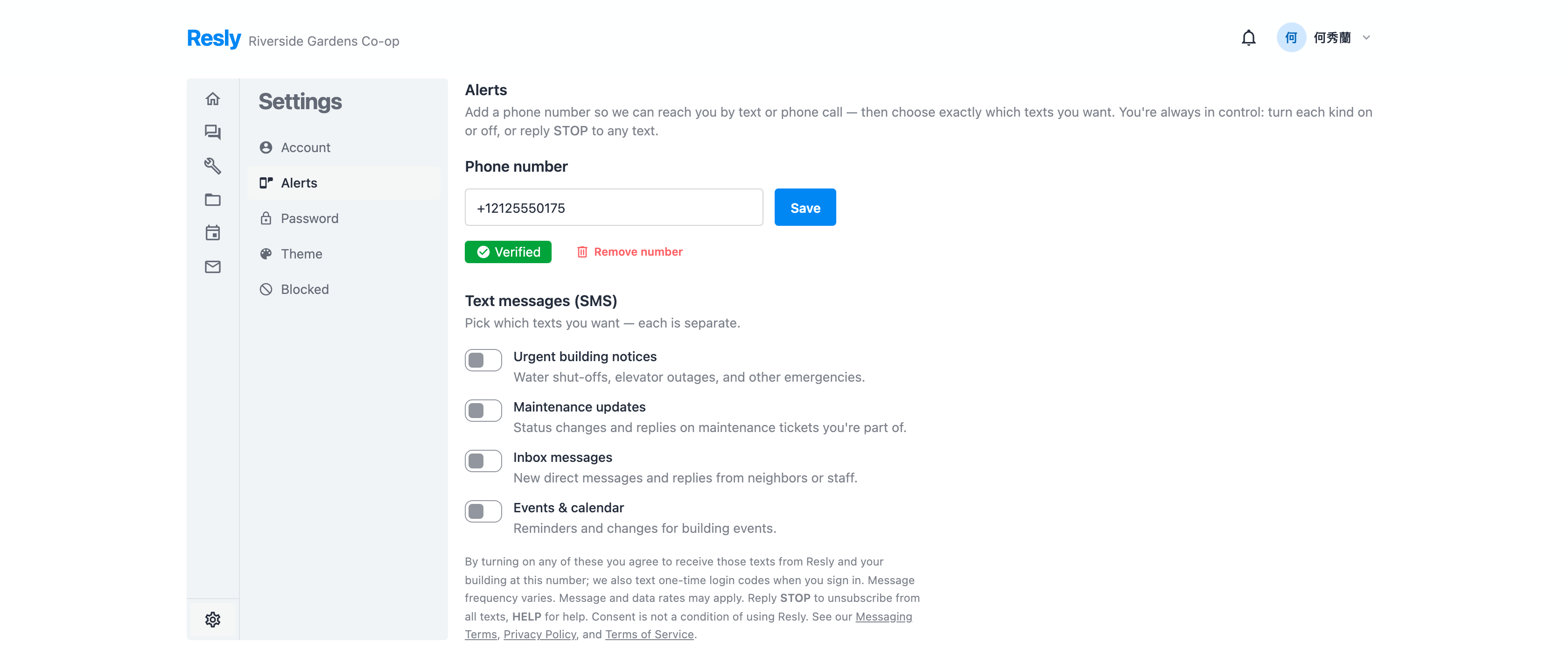
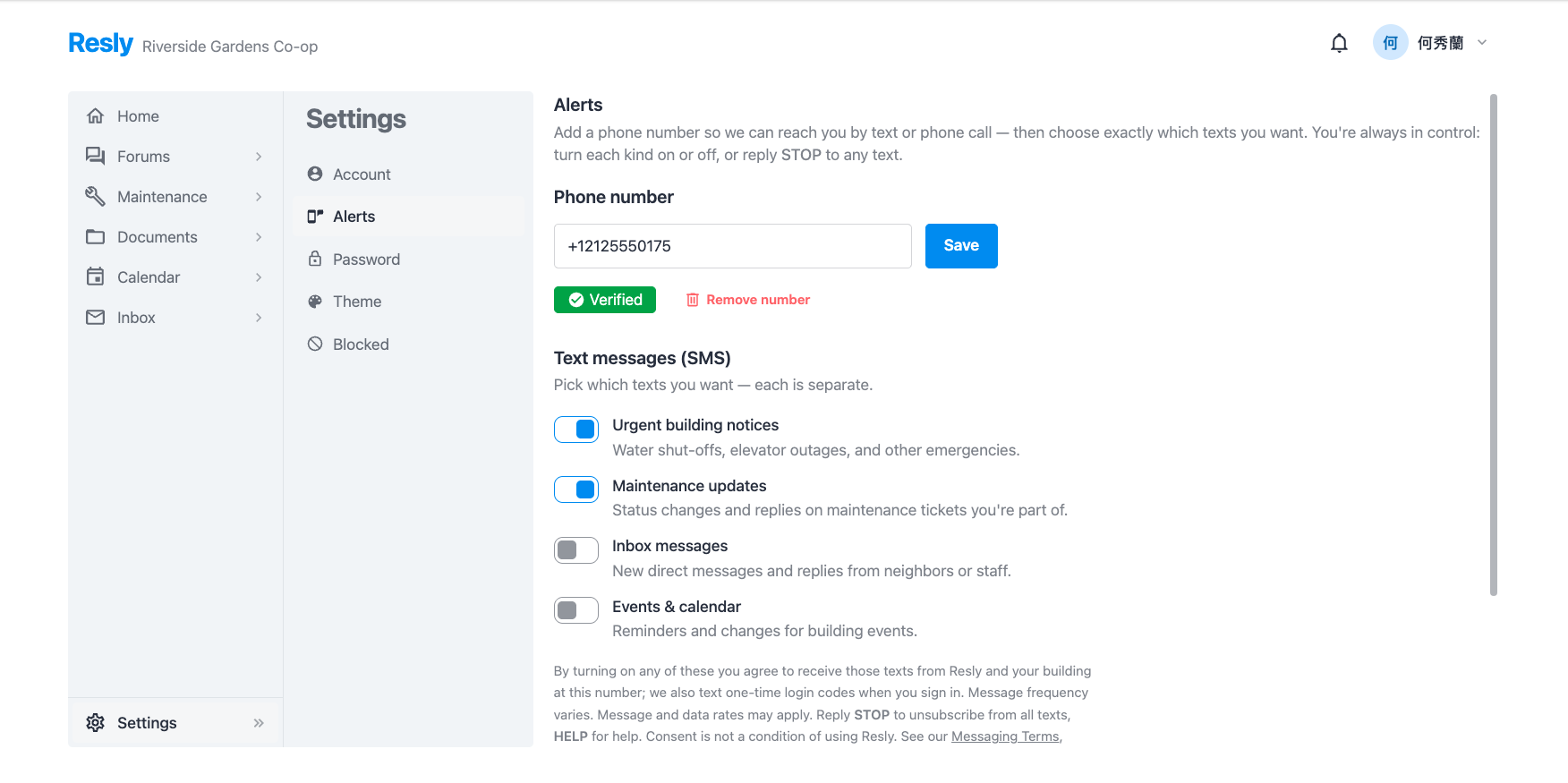
Opt-in happens inside the Resly app, in Settings → Alerts:
- Sign in to Resly (your account is created by your building's management).
- Open Settings → Alerts, enter your mobile number, and tap Send code by text.
- Enter the 6-digit code we text you, to confirm the number is yours.
- Turn on the specific categories of text you want. Every category starts off, and the consent disclosure is shown right beneath the toggles.
What we text you
Aside from one-time login codes (sent only when you're signing in), every kind of text is a separate opt-in you control:
- Login verification codes — a one-time code when you sign in to your account.
- Urgent building notices — water shut-offs, elevator outages, and other emergencies.
- Maintenance updates — status changes and replies on maintenance tickets you're part of.
- Inbox messages — new direct messages and replies from neighbors or staff.
- Events & calendar — reminders and changes for building events.
Example messages
- Your Resly login code is 483920. It expires in 15 minutes.
- Resly (your building): Water will be shut off tomorrow 9am–1pm for a riser repair. Reply STOP to opt out.
- Resly: Your maintenance request “Leaky faucet” was marked resolved. Reply STOP to opt out.
Message frequency & rates
Message frequency varies with your account activity and your building's events — it is not a recurring marketing program. Message and data rates may apply, depending on your mobile carrier and plan.
Stopping texts & getting help
Reply STOP to any Resly text to unsubscribe from all Resly text messages, or reply HELP for help. You can also turn any category on or off yourself in Settings → Alerts. Opting out of texts does not remove you from Resly or stop your app and email notifications. Consent to receive text messages is not a condition of using Resly.
Privacy
We collect your mobile number only to send the texts you opt into. We do not sell, rent, or share mobile phone numbers or SMS consent with third parties or affiliates for their marketing or promotional purposes. For the full details, see our Privacy Policy and Terms of Service.
Contact
Questions about our text messages? Reach us at hello@resly.cc, or write to Awesome Machinery, LLC, 1252 Forrest Ave, Dover, DE 19904.